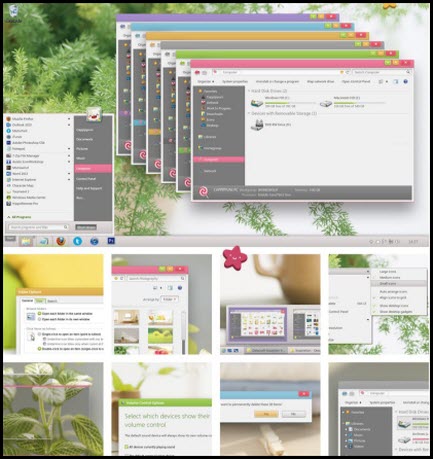
Toybox Theme For Windows 7
OS :Windows 7 | Year : 2012 | 25.1 Mb
OS :Windows 7 | Year : 2012 | 25.1 Mb
INSTALL INSTRUCTIONS:
1. Extract the folder named 'Visual Style' from the .zip archive to your desktop.
2. Go to the C:\Windows\Resources\Themes directory
3. Open the 'Visual Style' folder located on your desktop, select the whole contents of this folder, then move them to the 'Themes' directory opened just before.
4. Now, right-click on your desktop, select 'Personalize' (or any corresponding word of non-English systems), and finally select one of your favorite colors of the Toybox series!
5. After that, pick your favorite picture on your computer as your desktop background (unless if you want a blank colored background)!
Download Here :
Download via uploaded
Download via cyberlocker
Download via sharebeast
Download via freakshare
Mirror :
Download via Multilink
If any problems please report to:
Facebook: MOHD AFIZZI
Credit : Inxan Blogspot & Crew


0 comments:
Post a Comment